> ## Documentation Index
> Fetch the complete documentation index at: https://cobo.com/products/agentic-wallet/manual/llms.txt
> Use this file to discover all available pages before exploring further.
# Handle transactions
> Understand transaction statuses and act on transactions that need your attention — approvals, blockages, and stuck on-chain transactions.
## Transaction statuses
| Status | What it means |
| ------------------------ | ---------------------------------------------------------- |
| `Initiated` | Transaction created; waiting for policy check |
| `PendingApproval` | Requires your approval before proceeding |
| `Approved` | You approved the transaction; processing is about to start |
| `Processing` / `Pending` | Transaction is being processed |
| `Success` | Transaction executed on-chain |
| `Failed` | Transaction failed |
| `Rejected` | Violated a policy or was rejected by you |
| `Cancelled` | Transaction was dropped before confirmation |
## Approve or reject a transaction
Some transactions require your approval before they can execute — for example, when a transfer exceeds your approval threshold, or when the pact requires review under certain conditions. Your agent cannot proceed until you act.
You'll receive a push notification in the Cobo Agentic Wallet app when a transaction is waiting. You can also ask the AI assistant:
> "Do I have any transactions waiting for my approval?"
Each paused transaction shows the amount and token, the destination address, why it was paused, and when it was submitted.
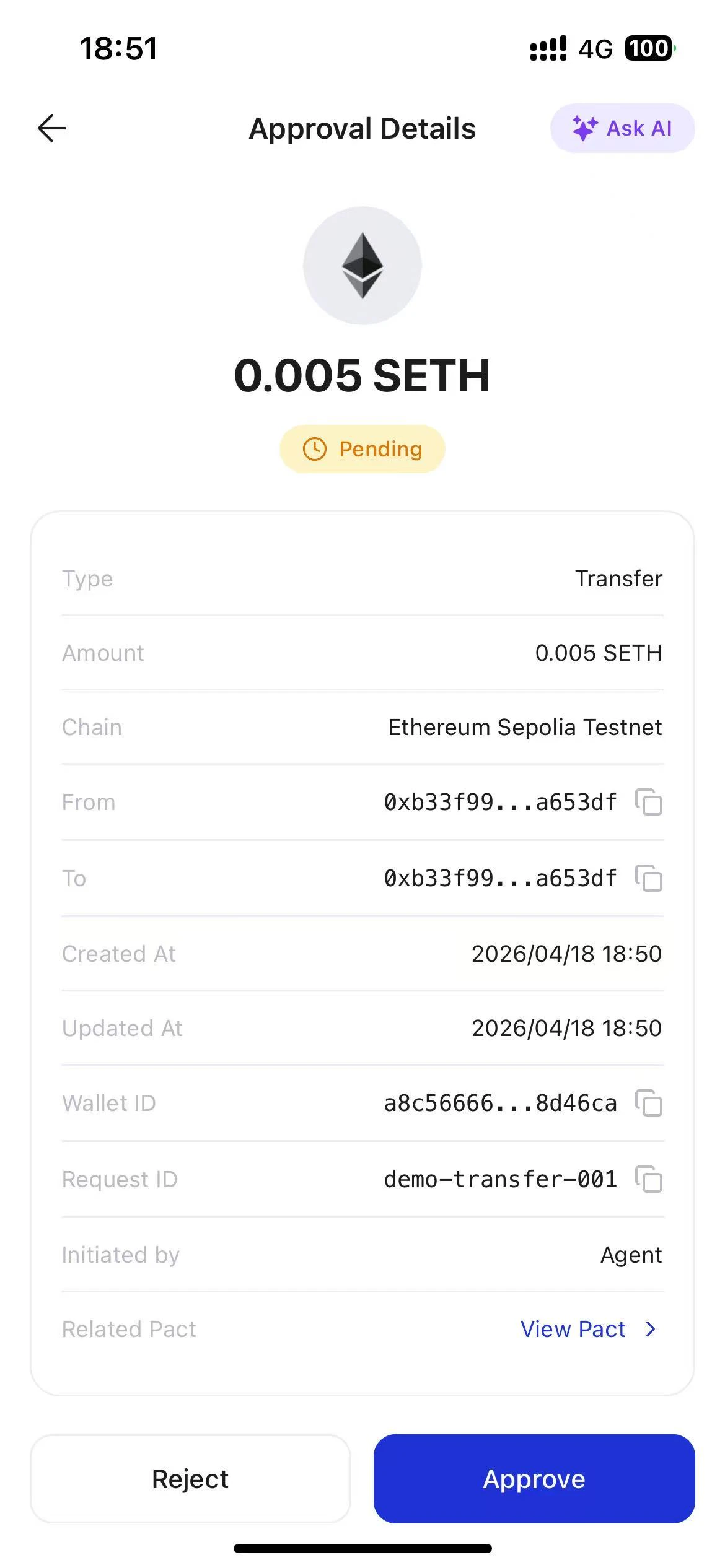 * **Approve** — the transaction executes on-chain
* **Reject** — the transaction is cancelled; your agent receives a clear explanation and can resubmit within your limits if appropriate
If you don't act within the approval timeout, the transaction expires automatically. Your agent is notified and can resubmit if needed.
* **Approve** — the transaction executes on-chain
* **Reject** — the transaction is cancelled; your agent receives a clear explanation and can resubmit within your limits if appropriate
If you don't act within the approval timeout, the transaction expires automatically. Your agent is notified and can resubmit if needed.