

Prerequisites
- Before proceeding with the backup, please ensure that you have completed the TSS Node initialization by following the steps in Deploy a TSS Node.
- You must have created a key share holder group through Cobo Portal.
Verify the root extended public key
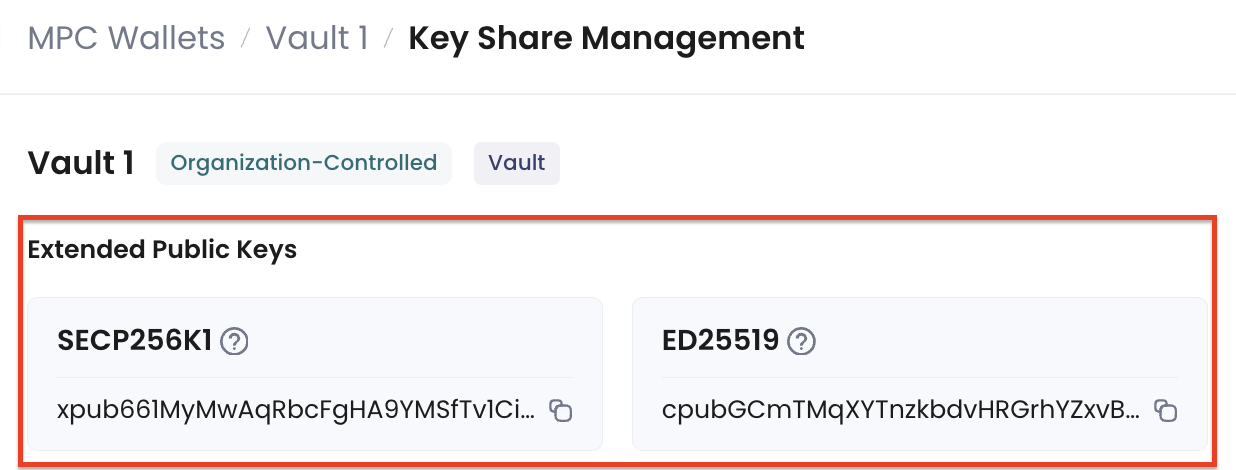
You must first check the local key share information before backup and ensure that the root extended public key displayed in Cobo Portal matches the one shown in the TSS Node log.- Navigate to the corresponding vault page and click on the Key Share Management icon.

- You can see the root extended public keys in the Key Share Management page.
-
Execute the following command to check the root extended public keys in the TSS Node log:
Example:Verify that the root extended public key shown in the above log matches the one displayed in Cobo Portal. Otherwise, the backup data will be invalid.
Back up your key share
After verification, please back up the following data:- The encrypted database file located at
db/secrets.db. - The database encryption password, which is the password you set during the TSS Node initialization process.