

Pacts only require your approval after you have paired the wallet with the Cobo Agentic Wallet app. Before pairing, your agent is the owner and pacts activate automatically.
What to review
A pact shows you:- Intent — the job the agent is being authorized to carry out
- Execution plan — a reviewable plan for how the agent intends to carry out that job
- Policies — the budgets, approvals, allowlists, chain/token/contract constraints, and other guardrails it’s proposing
- Completion conditions — what triggers automatic completion and revocation (time elapsed, budget exhausted, transaction count reached, job done)
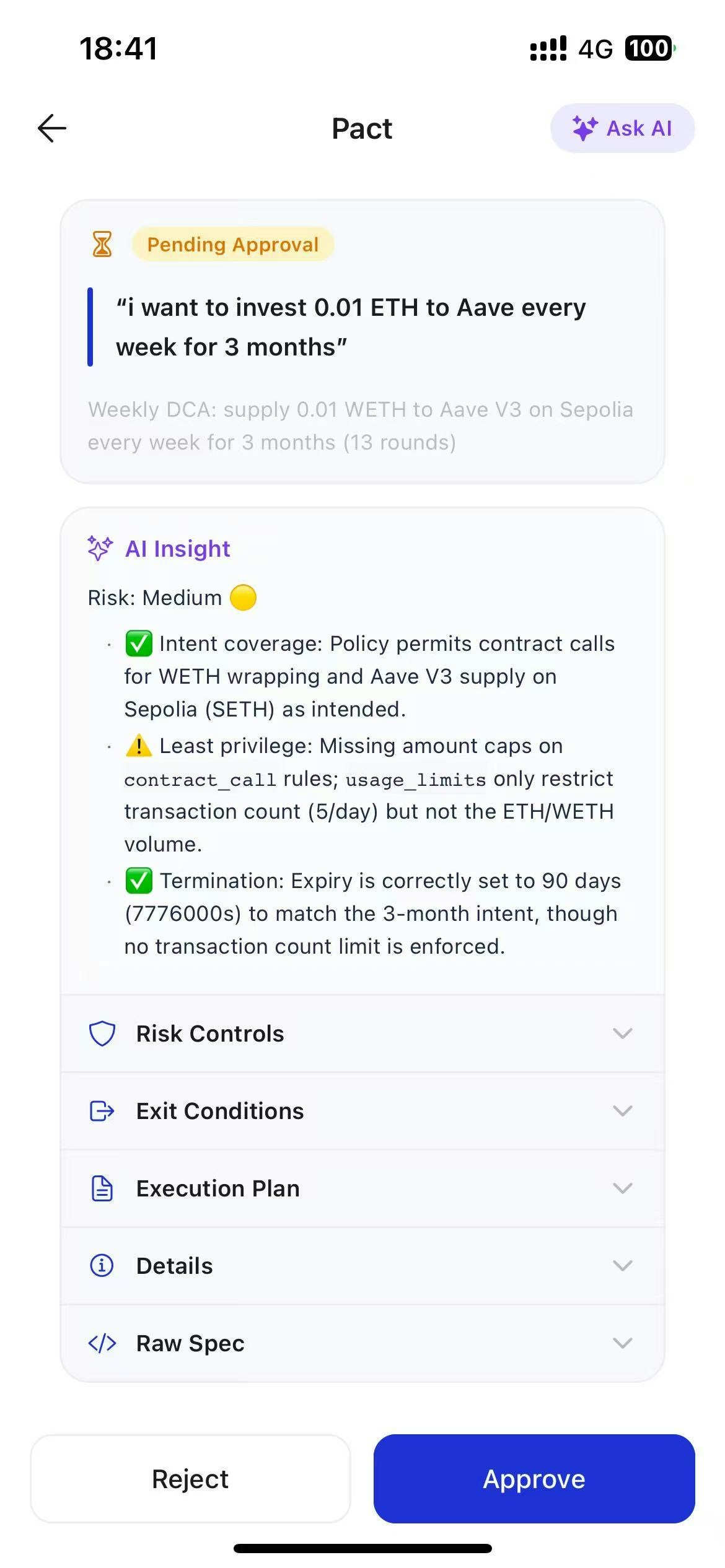
Approve, reject, or adjust
You have three options:- Approve — your agent gets access to proceed within the pact’s boundaries
- Reject — your agent gets no access; nothing changes
- Adjust before approving — change the policies or completion conditions before granting access; your agent operates under your revised terms, not its original proposal. To adjust before approving, open the AI assistant and chat with it about how to modify the pact.